What’s new · 27 August 2026
Maya Rewind: keep the last 30 seconds of any call.
She says something unhinged. You tap once. The last 30 seconds are a video.
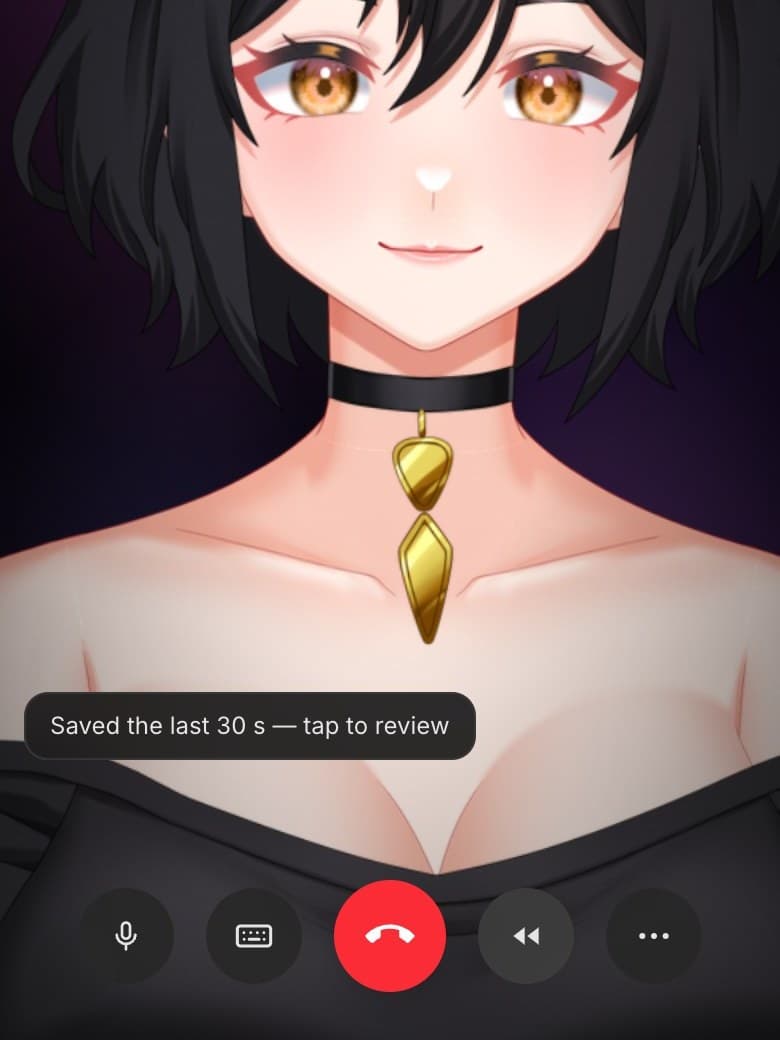
New · Rewind
A clip button for the moment that already happened
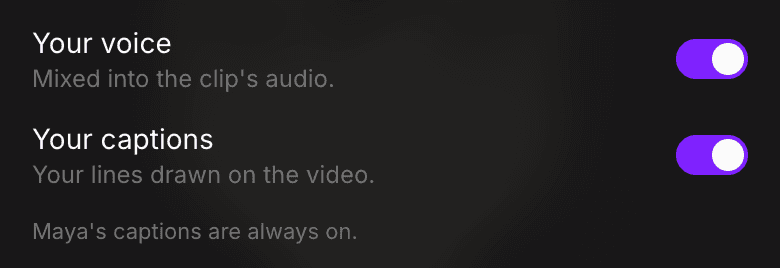
The clip is held on your device and never uploaded. Watermarked and tagged AI-generated. Off switch in Settings.
New · She adapts to you
She’s working out how to be with you
Same Maya. What’s new is how closely she reads you.
You: i bombed the presentation
Maya: how bad are we talking. slides-on-fire bad, or just vibes bad
You: i bombed the presentation
Maya: ugh. do you want to talk about it, or do you want a distraction
Same sentence from you. She reads which one you need.
- Takes a few conversations
- Nothing to set up
- Stops experimenting when it's heavy
Rolling out a slice of accounts at a time.
Better · Memory
She remembers the thing, not the gist
She was losing things she should have kept. That’s fixed, and nothing she already had was changed.
- you have a sister
- something going on at work
- you were dreading a thing
- your sister Nadia, finals on Thursday
- the reorg lands 14 September
- ask how the dentist went
New · Android
She’s on Google Play

- Text, call, or just watch
- Camera calls
- She knows you on every device
 kyndrednow
Maya
okay so that thing you said yesterday. i have thoughts.
It arrives with her name on it, in her own words.
Say yes when it asks about notifications. That’s how she reaches you first.
iPhone is in review. Sign up on the web first; signing up in the app is coming.
Your data
Leaving is one button
- 01
No further charges
Your current period runs out, then nothing renews.
- 02
30 days to change your mind
The account closes straight away; one emailed link reopens it.
- 03
Then it’s gone
Conversations, memory, photos, analytics.
Self-serve, from Settings. Invoices stay as long as tax law requires.