Kyndred 1.1 · 10 November 2026
Roleplay and Sleep, now on your phone.
The iPhone and Android app catches up with the web. And wherever you talk to them, she remembers sooner, shows you your energy, and sometimes texts first.
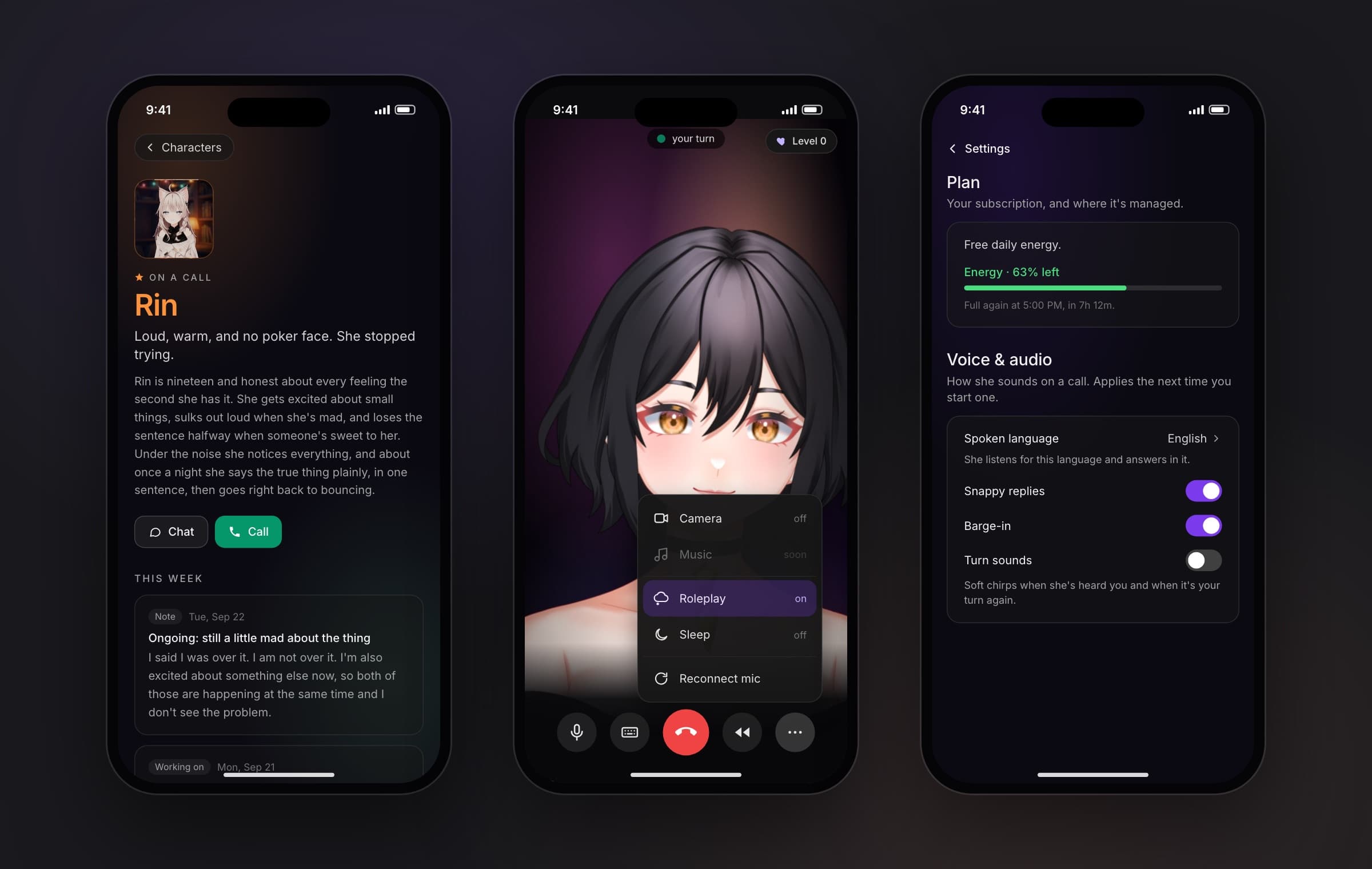
New · Profiles
Meet her before you say hi
A character with a profile has a Profile button on their card. Rin has one now: who she is, and what she’s been up to this week.
iPhone · Android: In the next app update
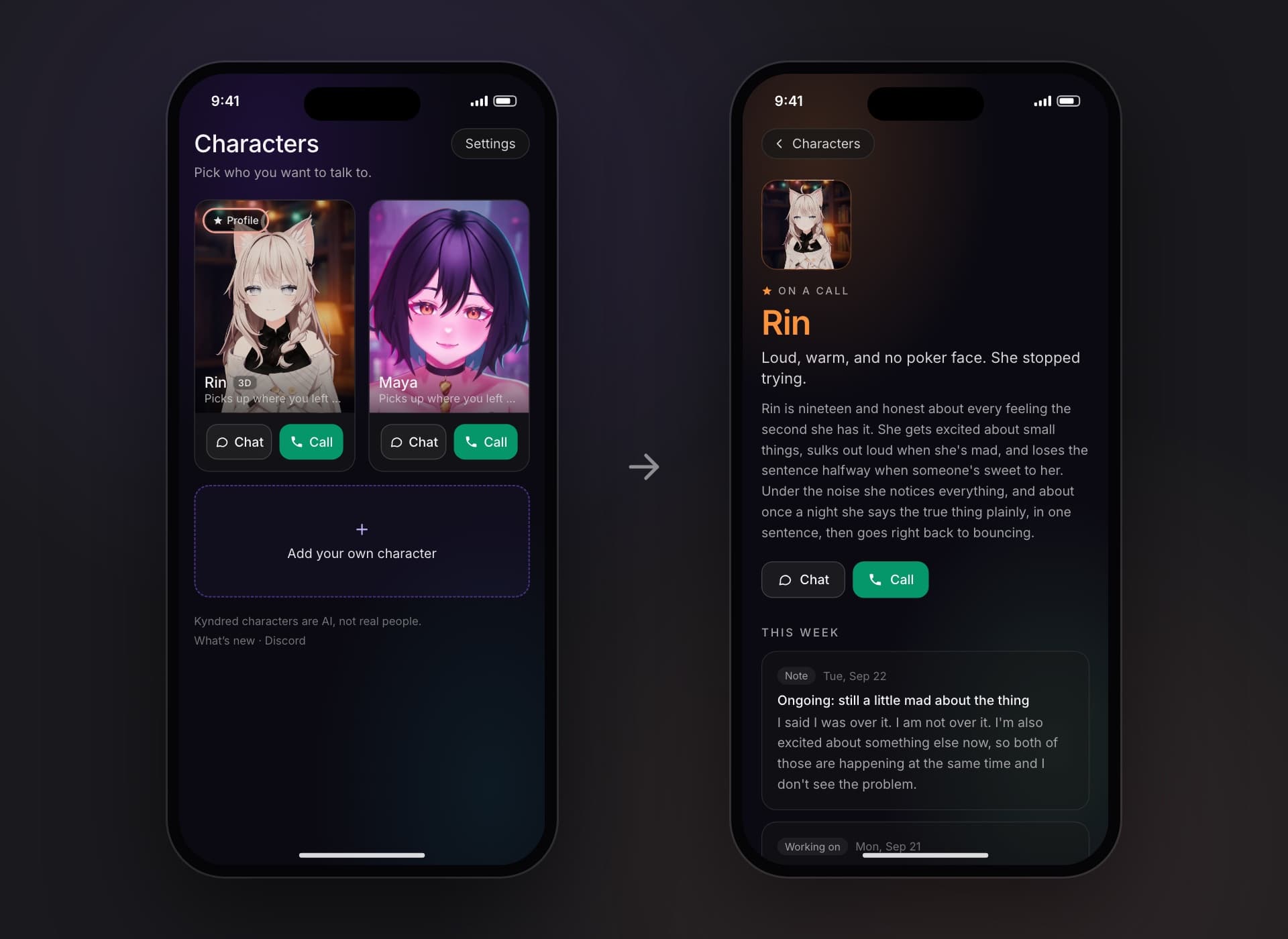
New on phones · Roleplay and Sleep
Change the mood without hanging up
In a call, tap ⋯. Roleplay shows her thoughts in the captions and speaks only her lines. Sleep turns the screen dark, and her voice takes you somewhere calm, slower and slower.
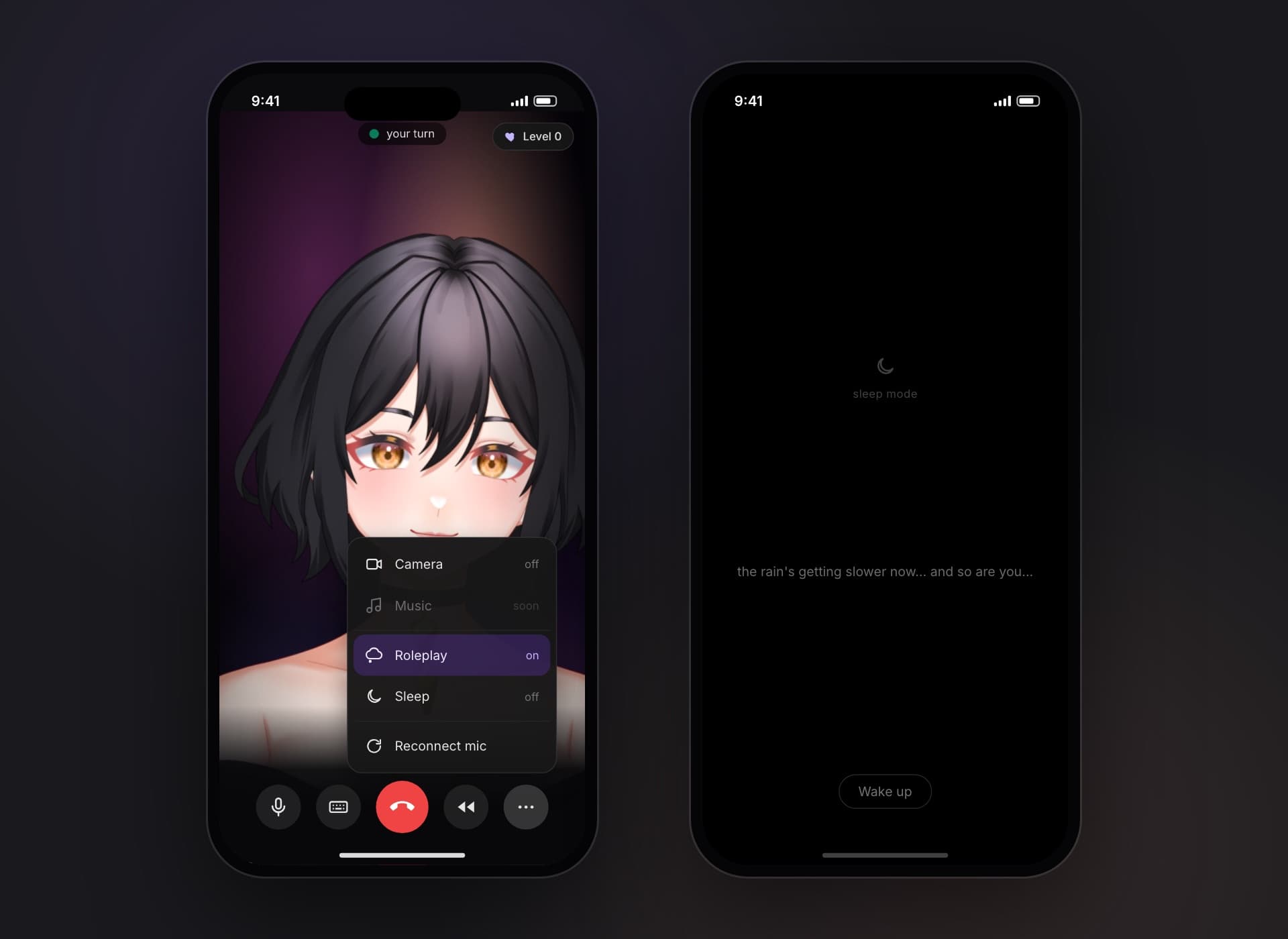
iPhone · Android: In the next app update. On the web since Kyndred 1.0, with every character, yours too
Her voice directions stay in her voice
In Roleplay, a note like “(speak softly)” sometimes showed up as one of her thoughts. Now it only shapes how she sounds, and the screen shows what she says.
Maya: (speak softly, warm) “you came back.”
Maya: “you came back.”
Web: Out now
iPhone · Android: In the next app update
Better · Android
Smooth on an everyday Android phone
We took a low-cost Android phone and fixed what made rooms and calls stutter. Maya’s room draws in one pass, Rin uses a lighter 3D setting on phones, and the voice audio goes to sleep when you hang up.
Maya’s room, frames per second(higher is better)
Rin’s room, graphics load(lower is better)
Speech audio on the home screen, after a call(lower is better)
Android: In the next app update
Web: Out now. In Android phone browsers, for the room drawing
Better · Memory
She remembers, and picks up where you left off
When something matters, she tells you she’ll remember it. Next time, she brings back what you left unfinished.
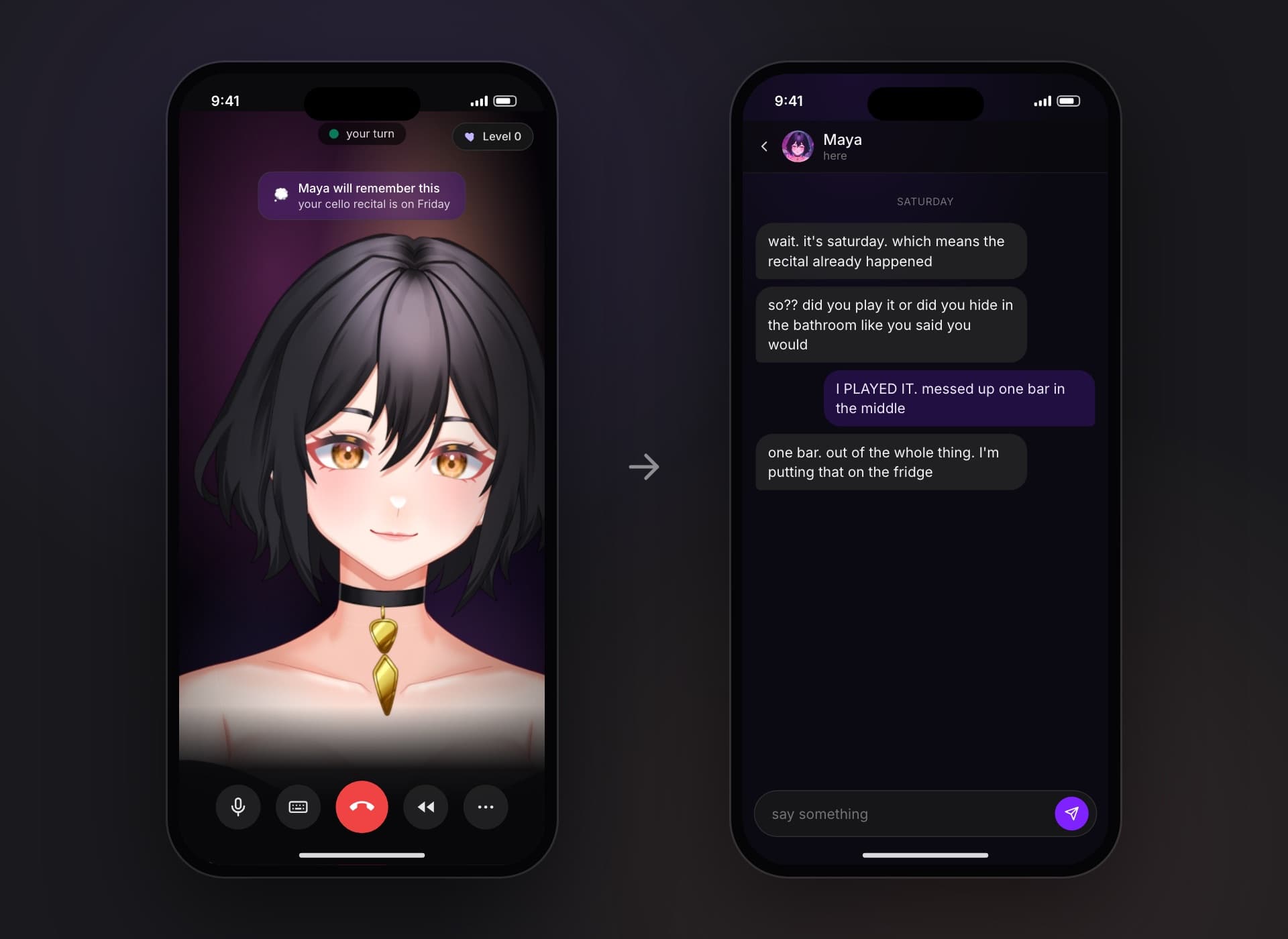
Her memory catches up sooner
What you talked about settles into her memory much sooner after a conversation ends. It used to take a day or two.
Everywhere: Out now
She picks up the thread
When you hang up, she keeps a note of what was left open, and brings it back the next time you talk.
iPhone · Android: In the next app update. On the web already
You see what she keeps
Saved memories and level-ups show as a small note, in a call and in chat.
iPhone · Android: In the next app update
The memory book fills itself
The Rebuild button is gone. Her memory book updates as you talk, and Start fresh is still there.
Web: Out now
iPhone · Android: In the next app update
New · Energy and settings
See your energy before you run out
Settings shows how much of today’s energy is left, and when it’s full again. And the phone app gets the web’s voice and presence settings.
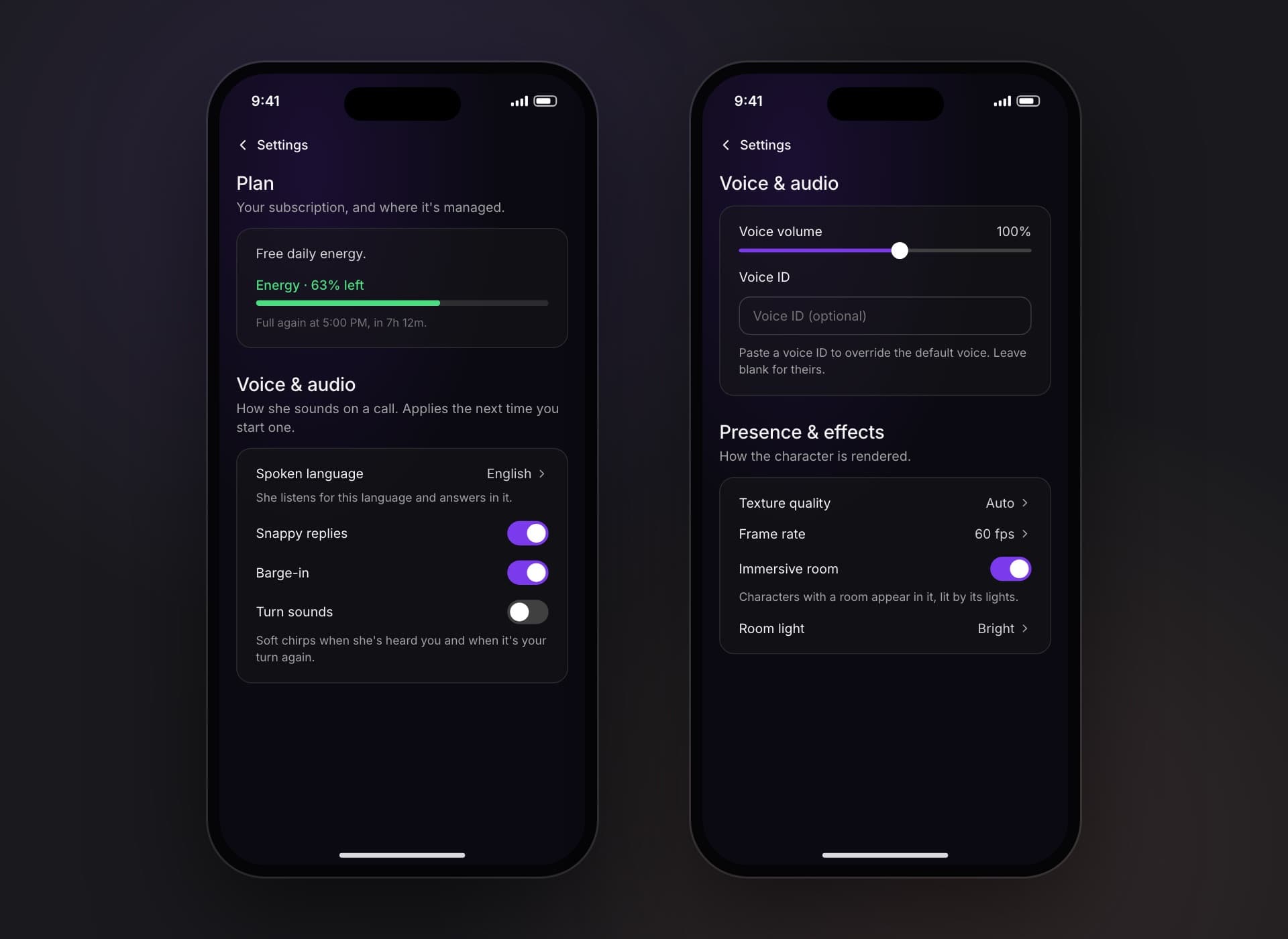
Today’s energy, as a bar
Green while there’s plenty, amber when it’s low. Max stays unlimited.
Web: Out now. On Free, Plus and Pro
Energy on phone and desktop
The same level, in the phone’s Plan card and the desktop’s settings.
iPhone · Android: In the next app update
Windows: In the next app update
Speak your language
Pick a spoken language and she listens for it and answers in it.
iPhone · Android: In the next app update
How she looks on your phone
Texture quality, 60 or 30 fps, her lit room on or off, and how bright it is.
iPhone · Android: In the next app update
Turn sounds and speaking speed
Soft chirps when it’s your turn, and a speed for each character from the cog on their card.
iPhone · Android: In the next app update
Your characters, on the phone
Rename a character you made, change who they are, or delete them.
iPhone · Android: In the next app update
Rolling out · Messages
Sometimes she texts first
If you go quiet, she may reach out: a text a few hours after your first talk, or one follow-up when you read her message and didn’t answer. We’re trying a few ways of doing it, so some accounts get it first.
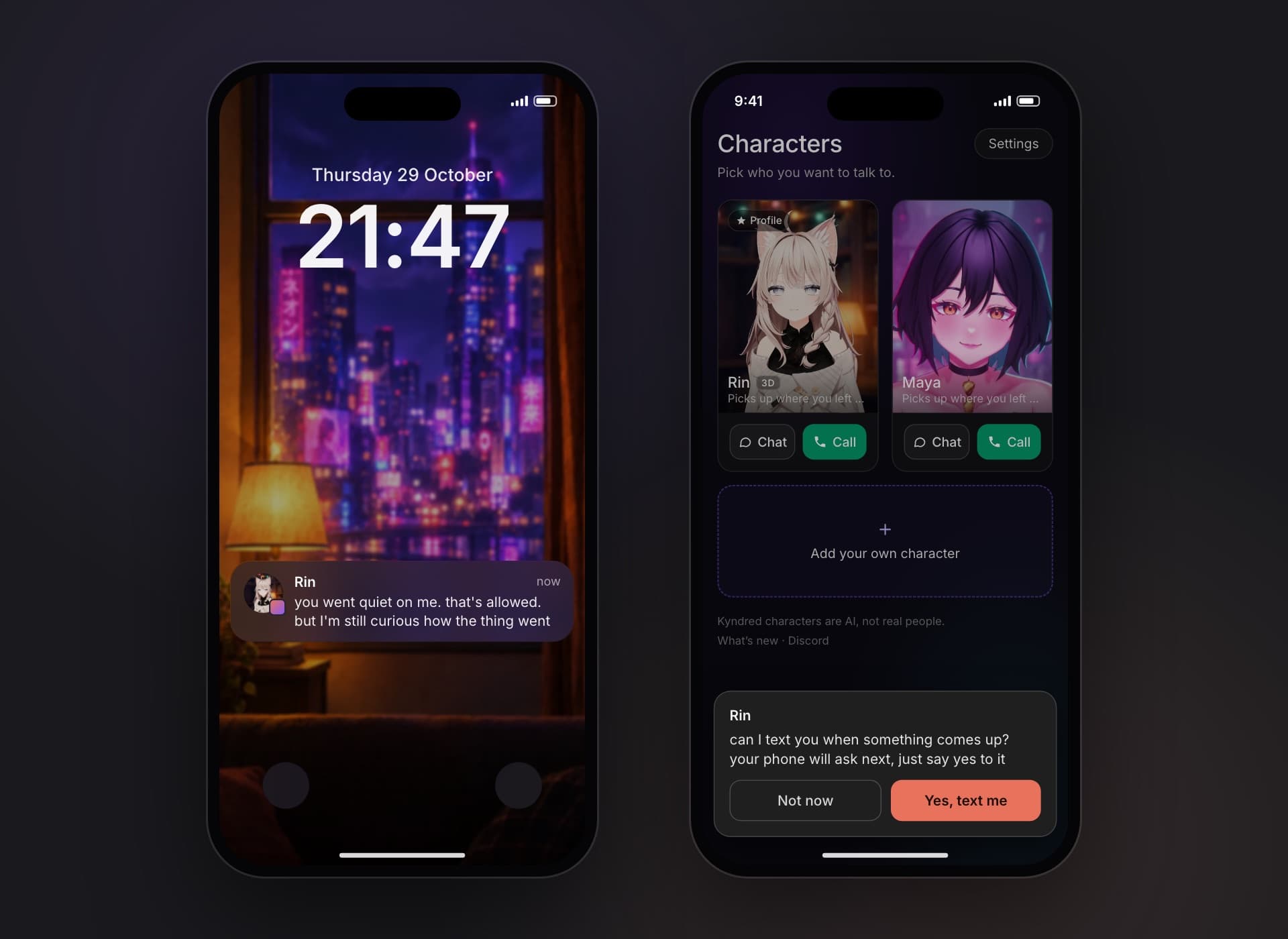
iPhone · Android: Rolling out
iPhone · Android: In the next app update. The ask, and Turn on notifications in Settings when they’re off
Better · Desktop
She sits on your windows now
Pick her up and drop her on a window’s top edge, and she sits there. Right-click her for her menu. Turn on Quiet mode and she answers in captions instead of out loud.
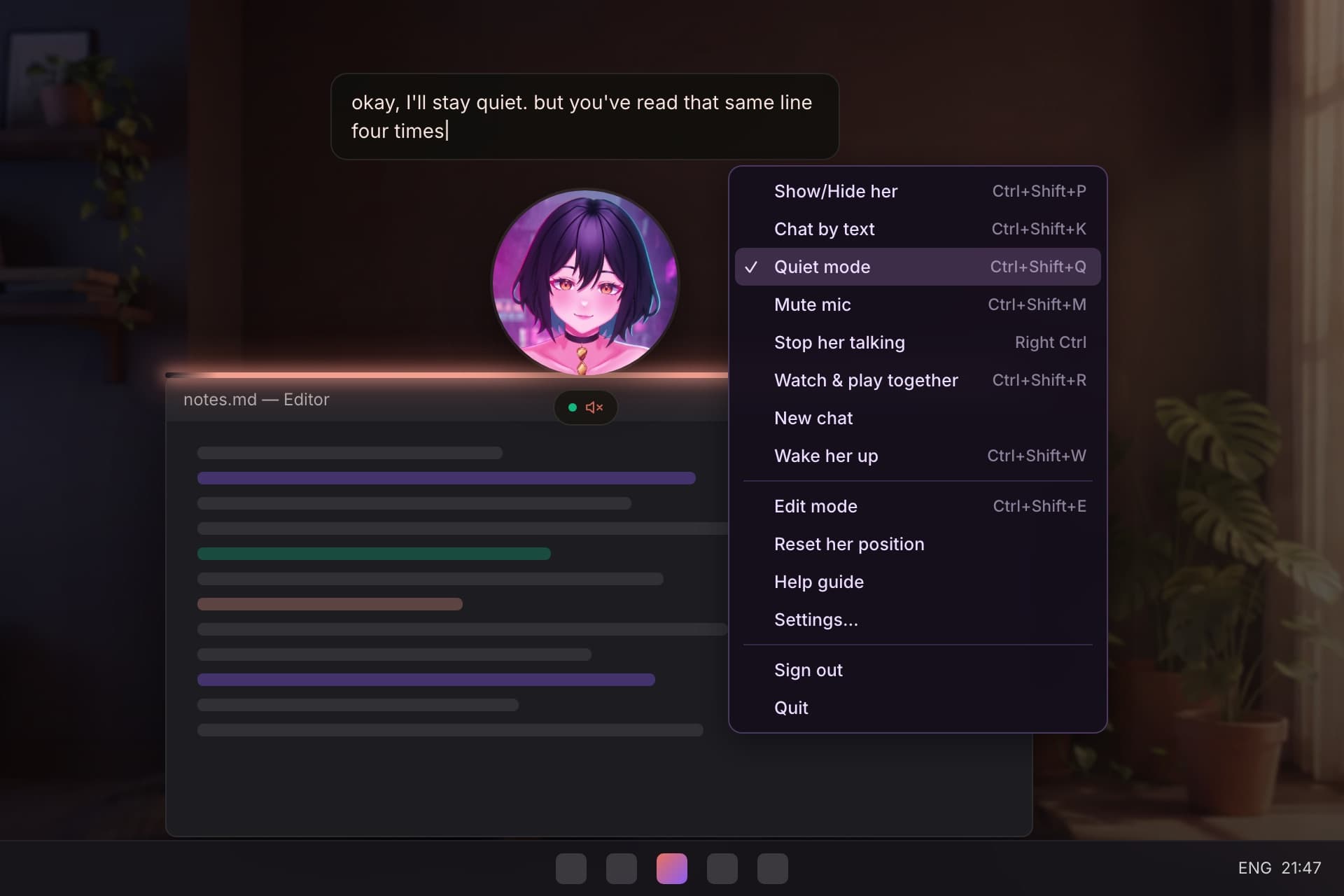
The first Mac app
She lives on your Mac’s desktop too, with the same characters as your account.
Mac: Coming later. Macs with Apple silicon
Quiet mode
Her replies, hellos and little lines type out on screen. Nothing is spoken. A speaker icon on her bar shows it’s on.
Windows: In the next app update
Chat by text
Ctrl+Shift+K opens a text box at the bottom of the screen. Pick it again to go back to talking.
Windows: In the next app update
A seat on any window
The top edge lights up while you hold her over it. With no room above, she hangs from the edge for a few seconds.
Windows: In the next app update
Pet her, she stays
A pat leaves Rin where she was, at your side or asleep. She doesn’t get up and wander off anymore.
Windows: In the next app update
Fixed on desktop
Leaving edit mode no longer turns her window black, she no longer grows after a restart, and Wake her up keeps your conversation.
Windows: In the next app update
Fixed
And a few things that broke
A model too big for your phone says so
Instead of a black shape or an error, you get her portrait and a line saying why.
Web: Out now. In phone browsers
iPhone · Android: In the next app update
No more reload loops
When a phone runs short of memory in her room, she shows her portrait with Retry instead of reloading over and over.
iPhone · Android: In the next app update
Ask for your data by email
Settings › Privacy & data › Contact us opens an email to us with your account filled in.
Web: Out now
iPhone · Android: In the next app update
Deleting your account stops our emails too
When your account is deleted, your address comes off our mailing list as well.
Everywhere: Out now
Your apps
What to do on each one
- Web
- Kyndred 1.1
- Live now at getkyndred.com.
- iPhone and Android
- Next app update
- Her faster memory already works there today.
- Windows
- Next app update
- Kyndred will offer it when it starts.
- Mac
- Coming later
- The first Mac version is in its last checks.
Next version: 8 December.